Complete Comparison Between QLED vs OLED for TV Buyers
You can buy a TV that looks “fine” in a store and then feel weirdly disappointed at home. I have been there. Bright showroom lights hide black level problems, demo loops hide motion issues, and the label on the box can sound more meaningful than it is. QLED and OLED are the two names that cause the most second-guessing, because both can look stunning, and both come with tradeoffs that matter once you live with the screen.
This guide treats you like someone who cares about picture quality, not like someone who wants a one-line answer. I will explain what each panel type does, where it wins, where it frustrates, what “UHD” has to do with it, and how to pick based on your room and your habits.
What QLED and OLED mean in plain terms
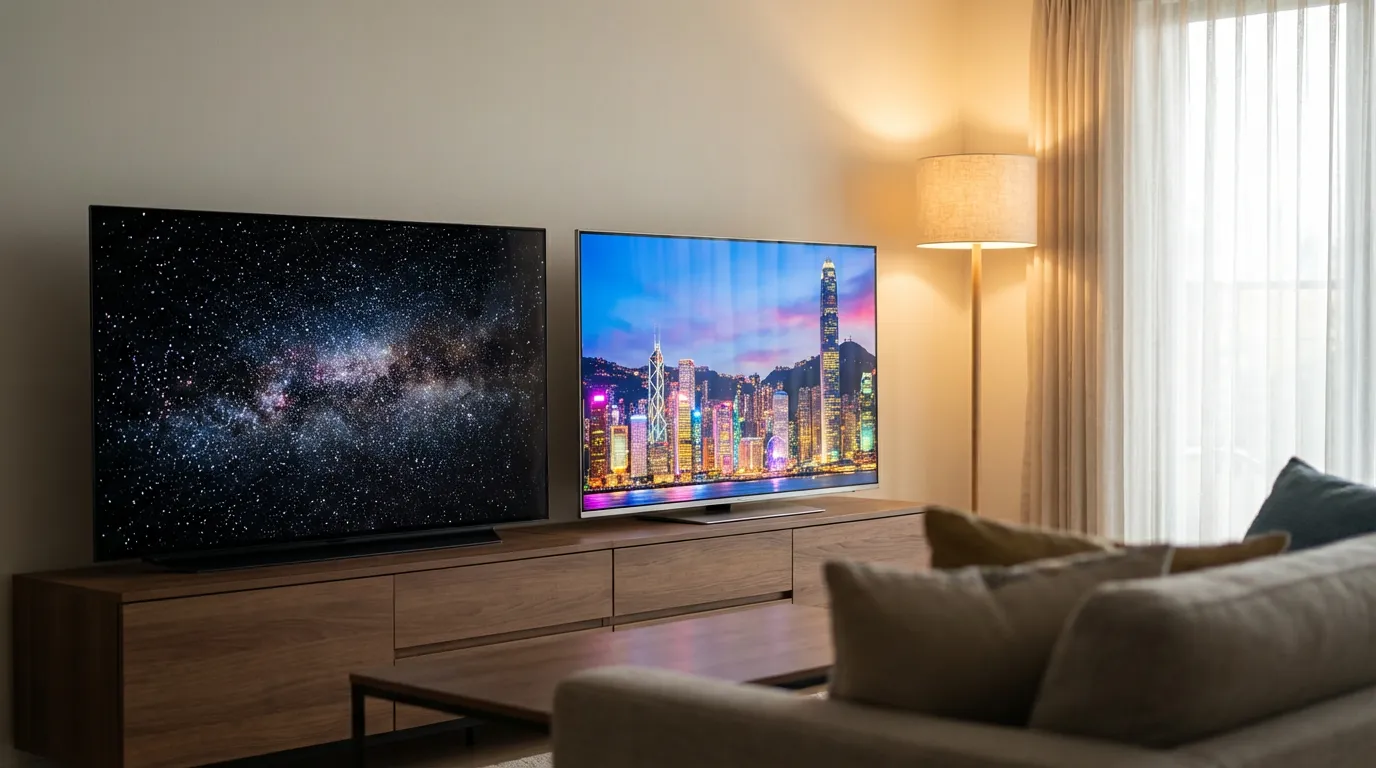
OLED is a display type where each pixel makes its own light. That is the whole magic trick. If a pixel needs to be black, it turns off. No backlight leaks through, because there is no backlight.
QLED is an LED LCD TV with a quantum dot layer. It still uses a backlight. The quantum dots help the TV produce purer colors and keep brightness high. The “Q” part improves color performance, but it does not remove the core LCD behavior. You still have a backlight shining through a layer that tries to block it for dark scenes.
One more term that confuses people is UHD. UHD means resolution, usually 3840 by 2160 pixels. UHD does not tell you anything about contrast, black levels, or HDR punch. You can have UHD on an entry-level LCD, a QLED, or an OLED. When people compare “QLED vs OLED vs UHD,” they are mixing a panel type comparison with a resolution label. Resolution is only one piece of the picture.
How OLED and QLED create contrast and black levels
If you watch movies in a dim room, contrast becomes the whole experience. Shadow detail, depth, the sense that a scene has shape. OLED wins this category because it can do true black. When a scene cuts to space, the black background can look like the TV is off, and the stars pop without a gray haze behind them.
QLED can look close in some scenes, but the backlight has to stay on to show bright parts of the image. That light tends to leak into dark areas. Manufacturers fight this with local dimming, which splits the backlight into zones that can dim independently. More zones helps, but zones are still larger than pixels. This creates blooming, where bright objects glow into nearby dark areas. Subtitles on a dark scene can reveal it fast.
I keep coming back to this simple idea. OLED controls light at the pixel. QLED controls light in chunks behind the panel. If you care about black level purity, OLED is hard to beat.
Brightness and HDR impact in real rooms
Brightness is where the emotional debate starts. OLED looks punchy in a dark room, but QLED can hit higher peak brightness, which matters in bright living rooms and for some HDR highlights.
Here is the part that feels messy. OLED can deliver intense contrast even at lower brightness because the blacks are so deep. So an OLED in a controlled room can feel more “HDR” than a brighter QLED in that same room. Yet in a sunlit room, a brighter QLED can hold the image together, while an OLED can look a bit muted. Not broken. Just less forceful.
Think about your space. Do you have windows opposite the TV. Do you watch sports with daylight pouring in. Do you keep lights on during movies. If the room fights you, QLED’s brightness headroom can feel like relief.
Color volume, saturation, and why QLED can look louder
Quantum dots help QLED TVs maintain strong color at high brightness. This is called color volume. Bright reds, bright blues, bright greens. The TV can push those colors without washing them out as the backlight ramps up.
OLED can produce rich color too, but at the highest brightness levels, it can lose some saturation. You might notice this with bright HDR scenes like sunlight reflecting off a red car, or neon signs in a bright shot. QLED can keep that “paint” feeling in those highlights.
There is a catch. Some QLED TVs ship with vivid modes that look aggressive. This looks fun for a minute and then feels wrong. Skin tones can look sunburned. Grass can look radioactive. You can fix this with picture settings, but you should know that store demos often favor QLED’s strengths.
Viewing angles and why seating layout matters
OLED holds color and contrast from wide angles. If you have a sectional couch, or people watch from the sides, OLED stays consistent.
Many QLED models lose contrast and shift color off-axis, because LCD technology has angle limitations. Some premium LCD panels improve this with special layers, but it still tends to be a weaker point than OLED. If your room has wide seating, this can matter more than you think.
Motion handling for sports and fast camera pans
Motion is where people get confused because “smooth” is not the same as “accurate.” OLED pixels switch fast, so motion blur can be low, and edges can stay crisp. Yet OLED can show stutter in slow panning shots because each frame holds cleanly with little blur to hide the stepping. Some people hate this. Some people do not notice it until someone points it out, and then they cannot unsee it.
QLED LCD TVs can have more natural blur, which can hide stutter in film content, but they can show other motion artifacts depending on the panel and processing. Both types often include motion interpolation settings. Those settings can make movies look like video. If you dislike that soap-opera effect, you will want to turn it down or off on either type.
For sports, I lean toward QLED when the room is bright and you want a punchy image that stays readable. For movies in a dim room, I lean OLED, even with the occasional stutter on slow pans. It bothers me less than lifted blacks.
Gaming performance and input lag
Gaming has two big needs. Low input lag and clean motion. Many QLED and OLED TVs deliver low input lag in game mode. Both support HDMI features like variable refresh rate on many models. You still need to check the exact TV, since features vary.
OLED has near-instant pixel response, which can look razor sharp in motion. That can feel unreal in fast games. Yet there is a trade. OLED can show more visible stutter at lower frame rates because the response is so fast. If you play at high frame rates, that issue fades.
For long gaming sessions with static HUD elements, burn-in risk enters the chat. I will cover that in a dedicated section, because it is the factor that makes some people avoid OLED even when they love the picture.
Upscaling and the UHD confusion
Many people compare QLED vs OLED vs UHD as if UHD is a third screen type. It is not. UHD is resolution. Your TV will upscale lower-resolution content to fit its panel. Upscaling quality depends more on the TV’s processor than on QLED or OLED alone.
If you watch a lot of cable TV, older sitcoms, or low bitrate streams, upscaling and noise reduction matter. Two TVs with the same panel type can look different here. If you watch high bitrate 4K sources, the panel characteristics matter more.
For home theater fans who run a media server, source quality becomes a hobby. If you want your library to look its best, you will care about file quality and playback devices as much as the screen. If you use Plex, Emby, or Jellyfin, pairing a strong playback box with your TV can reduce weird format issues. If you run into playback quirks, you might like our guides for Plex setup and customization and Jellyfin tips for home streaming.
Burn-in and image retention with OLED
Burn-in is the fear that never fully leaves the OLED conversation. OLED pixels wear as they emit light. If you display the same static elements for long periods, those pixels can age unevenly, and you can end up with permanent image retention. Think news tickers, sports scoreboards, and game HUDs.
Here is my honest take. Burn-in is real, but it is not a guaranteed disaster. Many people use OLED for years without issues because their content varies, they do not keep static banners on for hours every day, and the TV runs built-in compensation routines. Still, if your usage pattern is heavy on static UI, the risk goes up. That is not drama. That is physics.
OLED TVs include protections like pixel shifting, logo dimming, and panel refresh cycles. These help, but they also have side effects. Logo dimming can lower brightness in areas that look like static logos, which can annoy you during sports. Panel refresh cycles can take time and run when the TV is off.
QLED does not have burn-in in the same way. LCD panels can show temporary retention in rare cases, but permanent burn-in is not the typical concern. If you want peace of mind for a TV that will show a lot of static content, QLED feels calmer.
Lifespan and long-term consistency
Lifespan is tricky because both types can last a long time, and failures depend on heat, usage, and component quality. OLED pixels do dim over time as they age. You might not notice it for a long while, but it is part of how emissive displays work.
QLED LCD TVs rely on a backlight. Backlights also age and can dim, and local dimming systems can have their own quirks. You can get uniformity issues like dirty screen effect, where large bright fields look blotchy. This can show up during sports on a bright ice rink or a soccer field. OLED can also have uniformity quirks, like near-black banding in dark scenes. No free lunch.
If you want the simplest long-term story, QLED tends to feel safer for constant bright use, signage-like usage, and heavy static elements. OLED tends to feel safer for cinematic use in controlled lighting, where you do not run max brightness all day.
Price and what you pay for with each technology
Pricing swings by size. OLED usually costs more at the same size and feature tier, though the gap can shrink depending on sales and model lines. QLED spans a wider range, from midrange sets that look decent to premium mini-LED QLED sets that cost a lot.
There is something that bugs me about the price talk. People sometimes treat OLED as the “premium” choice by default. That mindset can lead you to buy the wrong TV for your room. A bright living room can make a midrange OLED feel underwhelming, while a strong QLED can look alive and stable. The premium choice is the one that fits your space.
Mini-LED QLED vs OLED and why the gap has narrowed
Mini-LED is a backlight tech that uses many tiny LEDs, which allows more local dimming zones. This can reduce blooming and increase contrast. It does not turn an LCD into OLED, but it can get closer in many scenes, and it can deliver intense brightness.
If you want a dramatic HDR look in a bright room, a mini-LED QLED can feel like a spotlight. That can be thrilling. It can also feel harsh if you like a softer film look. Your taste matters here more than spec sheets.
Picture quality summary table
| Category | OLED | QLED |
|---|---|---|
| Black level and contrast | True blacks, pixel-level control | Strong with local dimming, blooming can appear |
| Peak brightness | Lower peak brightness, still punchy in dark rooms | Higher peak brightness, strong for bright rooms |
| HDR highlight impact | High perceived contrast, clean specular detail | Brighter highlights, can look more intense |
| Viewing angles | Strong from the sides | Varies, often weaker off-axis |
| Burn-in risk | Possible with heavy static content | Not a typical concern |
| Uniformity quirks | Near-black banding can show | Dirty screen effect can show on bright fields |
Which one fits your use case
Movie nights in a dim room
If you watch movies with lights down, OLED is the choice I keep circling back to. Black bars vanish. Dark scenes hold detail without turning gray. Horror movies and space scenes look the way they should, not like a backlit compromise.
Bright living rooms and daytime sports
If your room has glare and you watch a lot of sports, QLED makes sense. The extra brightness helps you see the whole image without fighting reflections. If you have watched a football game on a dim screen with sunlight on the panel, you know the feeling. You start squinting, then you start tweaking settings, then you stop enjoying the game.
News channels and static content
If you keep news on for hours with banners, or you pause content and walk away a lot, QLED gives you more comfort. OLED can handle mixed use, but static use is where the risk math changes.
Gaming with long HUD sessions
If you play games with bright HUD elements for long sessions, QLED avoids that quiet anxiety about uneven pixel wear. If you play a wide range of games and you do not park the same HUD for hours every day, OLED can still be a strong pick. It depends on your habits, not on a forum argument.
Animation and high color punch
For animation, both can look fantastic. If you like high brightness color pop, QLED can feel louder in a fun way. If you like clean contrast and inky blacks in animated films, OLED can look almost three-dimensional.
Settings and habits that help you get the picture you paid for
No matter what you buy, you can ruin the image with the wrong mode. I have done it. You turn on vivid mode, everything screams, and you assume that is what HDR is supposed to look like.
Use a sane picture mode
Look for a cinema or filmmaker-oriented mode. If you hate the warmer color temperature at first, give it a day. Your eyes adjust. Bright blue whites can look “clean” in a store and look wrong at home.
Control reflections
Before you spend more on a brighter TV, try controlling light. Move lamps, add curtains, adjust seating. A glare-free view can feel like an upgrade.
If you buy OLED, treat static content with respect
Turn on the panel protection features. Let the TV run its refresh routines. Hide static HUDs in games when you can. Lower OLED brightness for long sessions. This is not about babying a fragile screen. It is about not pushing the panel in the one way that causes uneven wear.
How this ties into your home theater and media server setup
If you run a personal library, your TV choice will expose your source quality. OLED makes compression artifacts stand out in dark scenes. QLED can expose banding in gradients because of how the backlight and processing interact. Either way, a clean source looks better.
If you want your movie nights to feel like an event, preroll videos can set the tone before the feature starts. It sounds silly until you try it, then it becomes part of the ritual. If you use Plex, Emby, or Jellyfin, you can browse options on the preroll video collection and match the vibe to your room and screen.
Quick buying checklist you can use in a store
Stores make this hard, but you can still test a few things.
Test dark scene performance
Ask for a dark scene clip if possible. Look at black bars. Look at shadow detail. Watch for blooming around bright objects on QLED.
Step to the side
Check viewing angles. If the image washes out when you move off-center, imagine your couch layout.
Look for uniformity issues
On QLED, watch a bright uniform scene like a hockey rink for dirty screen effect. On OLED, watch dark gray scenes for banding. Do not obsess, but do look.
Turn off store demo modes
If you can, switch to a cinema-like mode and reduce motion smoothing. You want to see the TV, not the store’s sales pitch.
So which should you buy
If you care most about film-like contrast and you watch in dim light, OLED will make you smile more often. It is the kind of picture that can pull you into a scene and make you forget the TV exists.
If you watch with lights on, deal with sunlight, keep sports running, or put static content on for long stretches, QLED is the safer daily driver. A bright, stable image beats perfect blacks that you cannot enjoy because the room washes them out.
If you feel stuck, pick based on your room brightness and your tolerance for burn-in risk. Those two factors settle the debate faster than spec sheets.
If you want help tuning a home theater setup around your media server, or you want a cinema-style intro for your library, you can start at Prerolls.me and build your own vibe from there.