Roku vs Firestick vs Chromecast: Choosing Your Streaming Device
Introduction
With the rise of streaming services, choosing the right device to bring your favorite shows and movies to your screen can be daunting. Roku, Amazon Firestick, and Google Chromecast each offer unique features and benefits. Whether you're a cord-cutter seeking the best experience or upgrading your existing setup, this guide will help you decide.
Device Overview
Roku
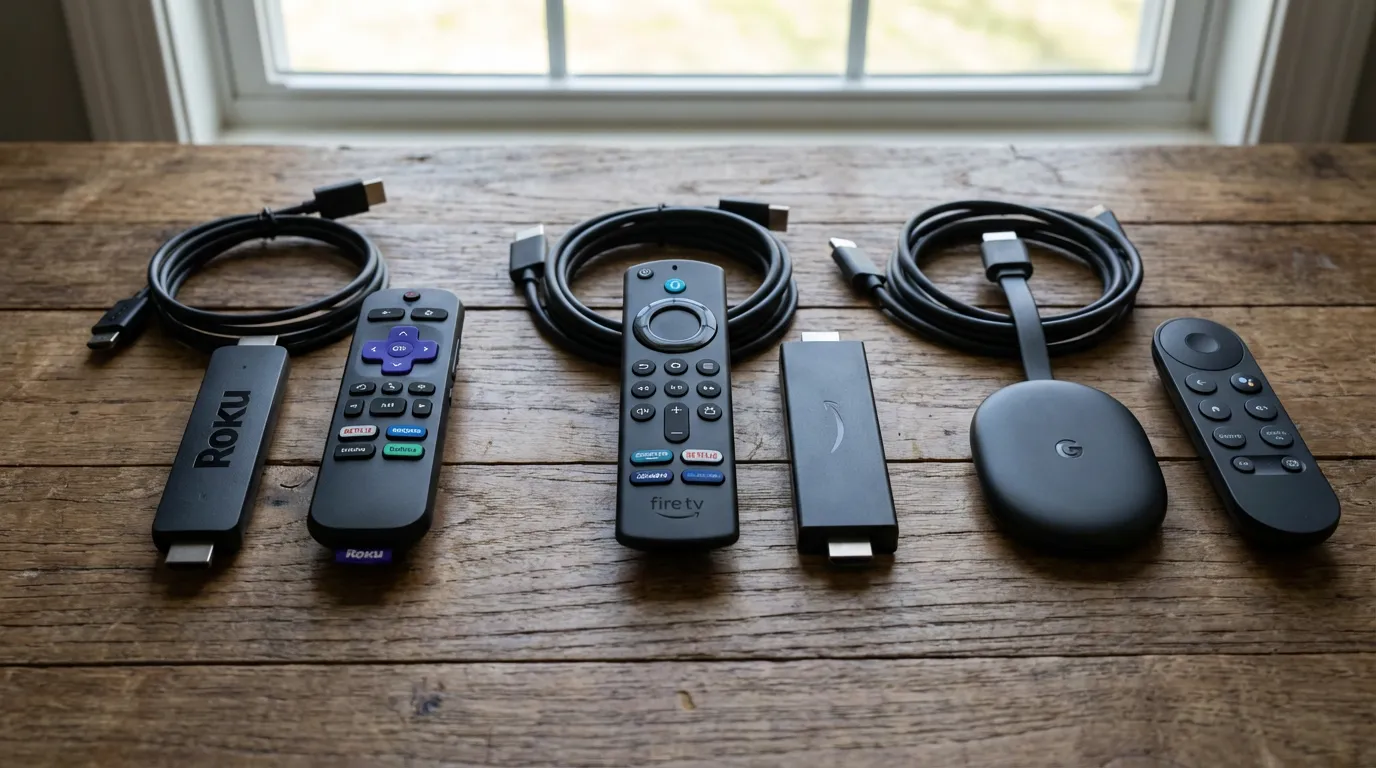
Roku is often praised for its user-friendly interface and broad app support. It offers a variety of models to fit different needs and budgets. From the basic Roku Express to the high-end Roku Ultra, there's something for everyone. Roku is particularly popular for its neutrality—it doesn’t push any specific streaming service over others.
Amazon Firestick
Amazon Firestick has become popular due to its seamless integration with Amazon Prime Video and Alexa voice control. It's a great choice if you're already embedded in the Amazon ecosystem. The Firestick also provides access to a wide range of apps and services, making it versatile for most users.
Google Chromecast
Google Chromecast takes a different approach. It allows you to stream content directly from your phone or computer to your TV. This can be convenient if you prefer using your mobile device as a remote control. Chromecast is particularly useful for those who enjoy casting content from apps not natively supported by other devices.
Features and Performance
Interface and Usability
Roku’s interface is straightforward and easy to navigate, with a clean grid layout. Firestick’s interface heavily features Amazon content, which might be a plus or minus depending on your preferences. Chromecast doesn’t have an interface per se, as it relies on other devices for control, making it unique but potentially less intuitive for some users.
App Selection
All three devices support major streaming services like Netflix, Hulu, and Disney+, but Roku typically supports the widest range of apps, including niche and international options. Firestick’s app store is robust, especially if you’re using Amazon services. Chromecast supports anything you can cast from your phone, which includes most major streaming apps.
4K and HDR Support
All devices offer models with 4K and HDR support. The Roku Ultra and Fire TV Stick 4K are comparable in terms of video quality. Chromecast with Google TV also supports 4K, providing vibrant picture quality. If 4K is a priority, any of these devices will satisfy your needs.
Voice Control
Voice control has become a standard feature for media streaming devices. Roku offers voice search through its remote, while Firestick integrates Alexa, providing more extensive functionality. Chromecast with Google TV includes Google Assistant, allowing you to control your device, search for content, and manage smart home devices with your voice.
Pricing and Value
Pricing varies depending on the model and features you choose. Roku offers a broad range of devices from budget-friendly to premium, making it accessible to all users. Firestick is generally priced in the mid-range but offers excellent value, especially for Amazon users. Google's Chromecast is competitively priced, often appealing for its simplicity and ease of use.
Best Choice for Different Needs
For those who want an easy-to-use device with extensive app support, Roku is a strong contender. If you're deeply invested in the Amazon ecosystem, Firestick might be the best choice. For tech enthusiasts who prefer using their devices to control their streaming, Chromecast could be ideal.
If you're setting up a home media server or looking for customizations, consider exploring options like creating your own preroll videos to enhance your viewing experience. Additionally, for advanced setup and troubleshooting, check out resources such as Plex troubleshooting guides.
Conclusion
Your choice between Roku, Firestick, and Chromecast should be guided by your streaming habits and personal preferences. Each device brings something unique to the table, and understanding these differences will help you make an informed decision. Whether you prioritize ease of use, app variety, or integration with smart home devices, there's a streaming device out there perfectly suited to your needs.